











Tyler, TexasTX 75703 View Map →
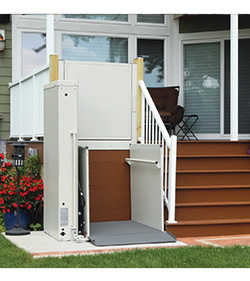
Harmar Highlander II Manual
Harmar owner documentation
Four lights on the tower tell you everything.
The owner’s manual for the Harmar Highlander II vertical platform lift, hosted here as a free download. This lift diagnoses itself through four status lights rather than beeps, and reading them takes about ten seconds once you know the pattern — including the one combination that means stop calling it a glitch and pick up the phone.
Download the owner’s manual (PDF)
Harmar · document 630-00154 rev. A · Highlander II with enclosure
The short version
- Payload capacity750 lb
- All four redThe emergency stop is pressed in
- Any flashing redCall the dealer — a reset will not clear it
- AmberStill usable, but service it
Lift completely dead? Check the emergency stop first
If all four lights glow solid red, the lift has not failed — someone has pressed the red emergency stop button on the control panel. It is easy to knock or lean on, and it looks exactly like a total failure. Release it and the lift comes back.
Check that before anything else. It is the single most common reason a Highlander II appears to have died overnight.
Reading the four status lights
The lights sit in the top cap and run one to four, left to right, as you face the tower from the platform. What matters is the colour and whether they are steady or flashing.
| What you see | What it means |
|---|---|
| Four steady green | Everything normal, safe to use |
| Four flashing green | Service mode — do not operate it |
| Three flashing green | Running on backup power, still safe to use |
| Any amber | Usable, but service is needed |
| Three steady amber | On backup power with a low battery — good for at least one more full trip |
| Three flashing amber | Backup battery very low — the platform will only travel down |
| Any flashing amber | Minor fault, reduced function |
| Four steady red | Emergency stop is pressed in |
| Any flashing red | Major fault. Out of service — call your dealer |
A flashing red will not clear with a power cycle, and that is deliberate. The lift has decided it cannot operate safely and has locked itself out until someone qualified looks at it. Switching it off and on is the reflex, but here it changes nothing — and repeatedly trying just delays the call.
Amber is a warning, not a fault
The amber patterns are mostly about batteries, and they are worth acting on early because they tell you how much lift you have left. Three steady amber means you are on backup power with a low battery but still have at least one full cycle available — enough to get someone up or down, not enough to rely on.
Three flashing amber is the one to respect: the backup battery is very low and the platform will only travel downward. If someone needs to go up, that is not going to happen until it has charged, or until you have replaced the batteries.
Amber patterns that appear while the lift is on mains power point at the battery pack rather than the supply — the lift is telling you that if it ever has to fall back on the batteries, it will not get far. That is the moment to book a battery replacement rather than wait for a power cut to prove the point.
It lives outside, and that shapes the maintenance
The Highlander II is an outdoor lift, and Harmar is explicit that some outdoor installations attract some surface rust rather than signalling that something has gone wrong. What does matter is that the gates and doors stay locked and secure, since the lift will not run until the safeties engage.
If your lift carries the optional battery backup and you are leaving it unused for more than a couple of months, follow the storage guidance in the manual rather than simply walking away from it — batteries left to discharge over a long absence are the usual reason a lift will not move on the day it is needed again.
Related pages
See the Highlander II product page, or the rest of the range on our vertical platform lifts page. Installers and technicians should use the installation & service manual instead of this one.
Platform lift service in Tyler and Waco
We are a Harmar dealer, we carry batteries for the Highlander II, and we service platform lifts across East Texas — including lifts we did not install. If you are seeing a flashing red, that is a service call by design, so give us a ring.
Looking for a different document? All 114 we keep on file are on the owner manuals page.